Dashboard: Your Command Center
Your real-time café overview in one screen. Everything you need to run your business.
Take 2 minutes to explore - it's designed for quick daily operations!
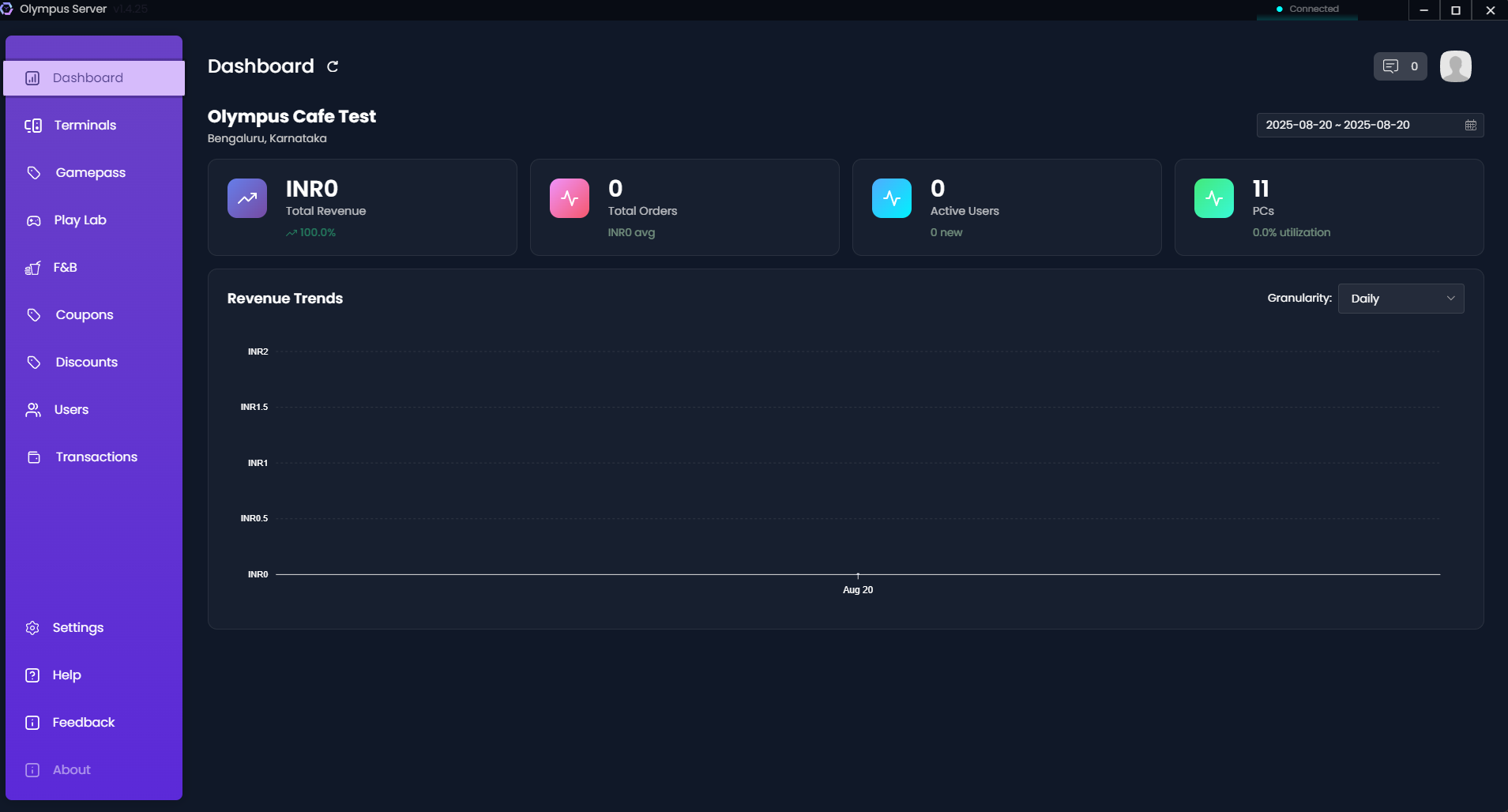
📊 Quick Stats (At a Glance)
Key Metrics Display:
- 💰 Total Revenue - Today's earnings
- 🛒 Total Orders - Transactions processed
- 👥 Active Users - Currently gaming
- 🖥️ PC Utilization - Terminals in use %
- 📈 Revenue Trends - Visual income graph
🔔 Top Navigation Bar
Notification Bell
What it shows:
- 🍕 Pending food orders (red badge)
- 🎮 GamePass orders awaiting confirmation
- ⚠️ System alerts and warnings
Quick Actions:
- Click to view pending items
- One-click order management
- Mark notifications as seen
Profile Menu 👤
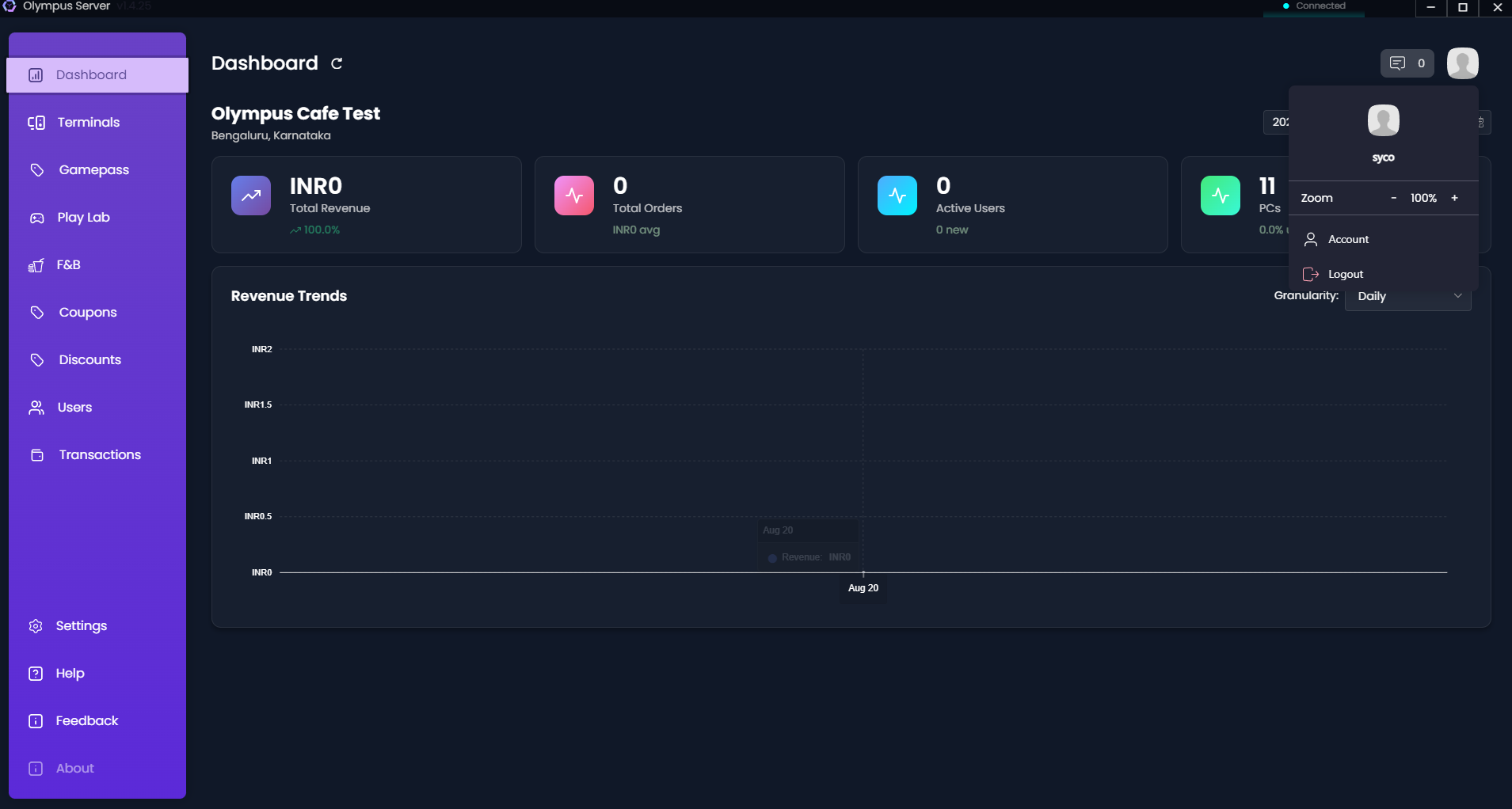
Menu Options:
- Account - Profile settings
- Link App - Connect mobile app (QR code)
- Settings - System configuration
- Logout - Secure sign out
📱 Link Your Mobile App (30 seconds)
Stay connected to your café from anywhere!
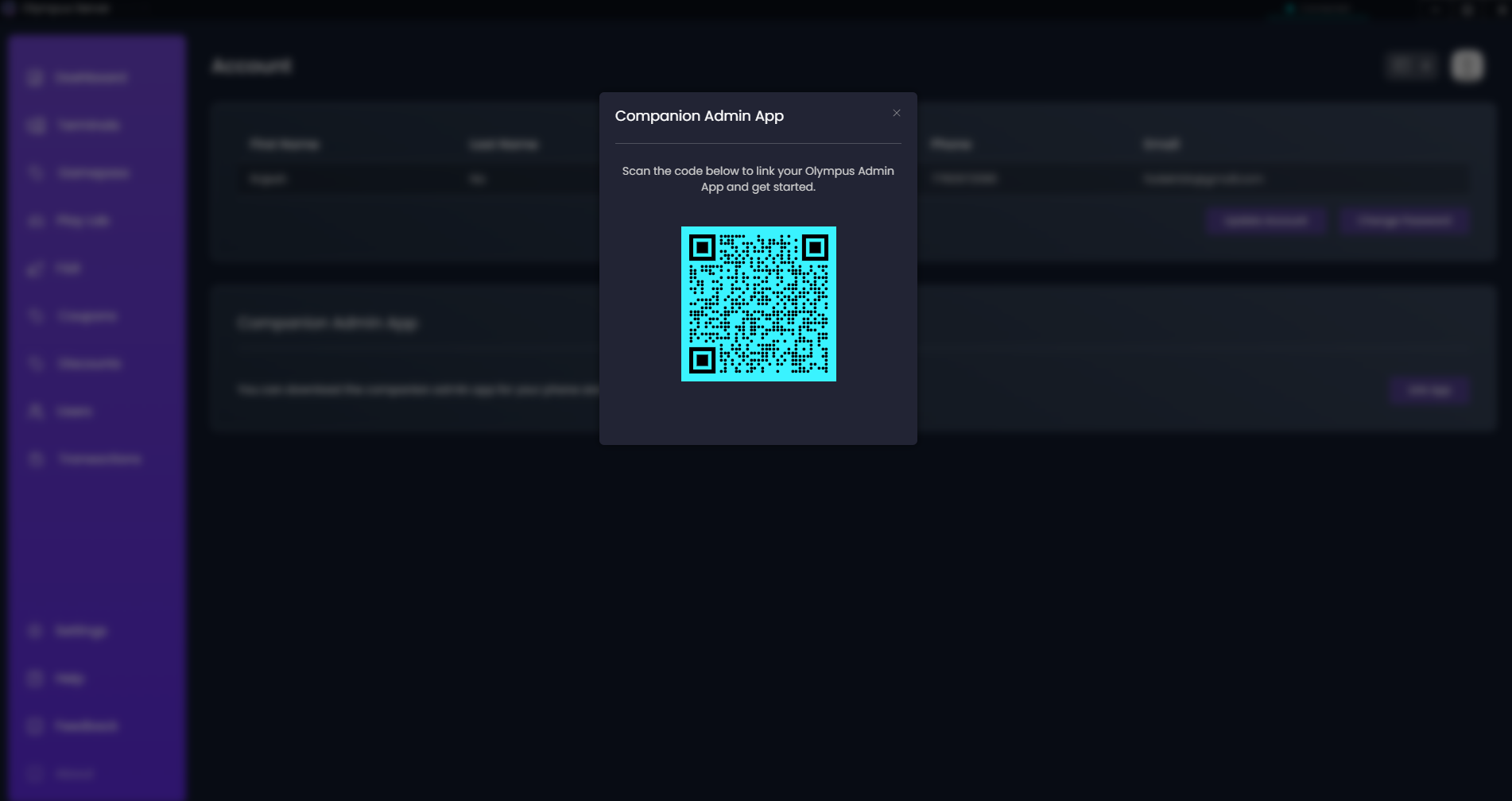
Quick Setup:
- Profile menu → Account → Link App
- QR code appears on screen
- Open Olympus mobile app
- Scan QR code → Connected! ✅
Mobile App Benefits:
- Monitor café remotely
- Receive push notifications
- View real-time revenue
- Emergency alerts
🎯 Daily Dashboard Routine
Morning Check (1 minute)
- ✅ All terminals showing green?
- ✅ No pending notifications?
- ✅ Revenue counter starting from zero?
- ✅ System status shows "Running"?
Throughout the Day
- Monitor active sessions - Who's playing what
- Handle notifications - Food orders, alerts
- Track revenue trends - Peak hours, slow periods
- Watch utilization - Add terminals if needed
End of Day (2 minutes)
- Review total revenue vs. yesterday
- Check completed orders count
- Note peak utilization times
- Clear any pending notifications
📊 Understanding Your Data
Revenue Trends Graph
What to look for:
- Peak hours - When to charge premium rates
- Slow periods - When to offer promotions
- Daily patterns - Plan staffing accordingly
- Growth trends - Week-over-week comparison
PC Utilization %
Optimization tips:
- Under 50% - Consider promotions or events
- Over 90% - Time to add more terminals
- 100% regularly - Invest in expansion
🚀 Quick Actions From Dashboard
Fast Customer Service
- Search users - Find customer quickly
- Start sessions - Begin gaming time
- Process payments - Handle billing
- Generate reports - Daily/weekly summaries
System Management
- View terminals - Check all PC status
- Monitor sessions - Active users overview
- Handle orders - F&B and GamePass requests
- System health - Server performance
🎨 Customization Options
Widget Management
What you can adjust:
- Metric display order
- Graph time periods (hourly/daily/weekly)
- Notification settings
- Quick action buttons
Display Preferences
- Dark/Light mode - Choose your preference
- Refresh rate - How often data updates
- Alert sounds - Audio notifications on/off
- Layout density - Compact or spacious
📞 Dashboard Troubleshooting
"No Data Showing"
Cause: First day of operation
Fix: Data appears after first transactions
"Revenue Not Updating"
Cause: Terminal connection issues
Fix: Check terminals page for offline PCs
"Notifications Not Working"
Cause: Browser permissions
Fix: Allow notifications in browser settings
"Graph Shows Wrong Time"
Cause: Server time incorrect
Fix: Sync Windows time with internet
💡 Pro Dashboard Tips
Efficiency Hacks:
- Bookmark dashboard for one-click access
- Use keyboard shortcuts (Ctrl+1, Ctrl+2 for tabs)
- Set up dual monitors for dashboard + terminals view
- Check dashboard every hour during busy periods
Business Intelligence:
- Compare same day previous week
- Track customer return patterns
- Monitor average session length
- Identify most profitable hours
Staff Training:
- Train all staff on dashboard basics
- Create dashboard cheat sheet
- Practice emergency procedures
- Regular dashboard orientation for new staff
🎖️ Master Your Dashboard = Master Your Business
The dashboard is your café's nerve center - spend time learning it well!